dBpoweramp Image Converter easy image conversion
dBpoweramp Image Converter takes away the hassle when converting images, conversions are quick and effortless. Image Converter is based upon the same technology as its sister product dBpoweramp Music Converter, trusted by over 45+ million users:

|
Image Converter
Convert between all main formats, Bitmap, PNG, JPEG, WEBP, TIFF to name a few. |
Batch Convert
Large numbers of files and folders with 1 click, filter on png or other file types.
|
|
High Speed Conversions
Look for an image converter which encodes using all CPU cores simultaneously, get the job done in double quick time.
|
DSP Effects
Process images with effects, such as rescale, or sharpen dBpoweramp is a fully featured image converter.
|
|
No Malware
Free converters come with a little extra (a spying toolbar, Trojan, malware, or virus), dBpoweramp has never bundled in 20 years, those wanting just an image converter, get just that and only that.
|
Simplicity
dBpoweramp integrates into Windows Explorer (or Apple Finder), that is as simple as right clicking on the image file >> Convert To. Popup info tips are provided giving details of the internals of your images.
|
|
Convert from: Amiga (.iff), AVIF (.avif), Bitmap (.bmp; .dib), Digital Picture Exchange (.dpx), GIF (.gif), JPEG (.jpg; .jif; .jpeg), JPEG 2000 (.jp2; .j2k; .jpx; .jpm), JPEG XL (.jxl), Netpbm format (.pbm; .pgm; .ppm; .pnm), OpenEXR (.exr),
Photoshop Document (.psd), PNG / Potable Network Graphics (.png), Sun Raster Image (.ras; .sun), Truevision TGA TARGA (.tga; .icb; .vda; .vst), TIFF / Tagged Image File Format (.tiff;.tif), WebP (.webp), X BitMap (.xbm), X PixMap (.xpm),
X Window dump (.xwd), High Efficiency Image File (.heif;.heica)
In Detail
dBpoweramp Image Converter ensures conversions with elegant simplicity, we like to think most features of the program can be discovered without referring to documentation.
Select image file(s) in Windows Explorer / Apple Finder, right click,
Convert To:
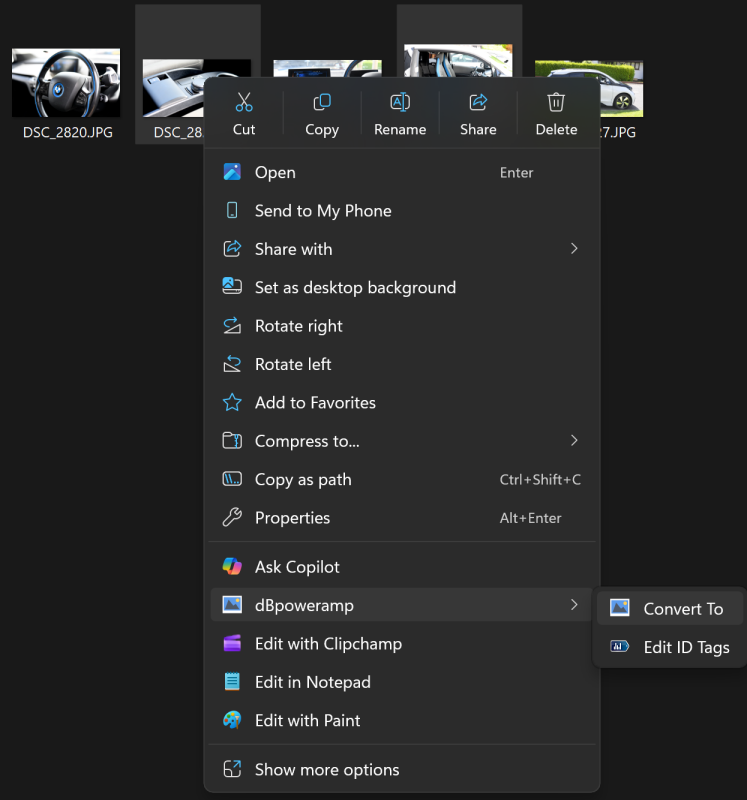
Choosing files to convert
Encoder is chosen, fine tune DSP effects to manipulate the image, click
Convert:
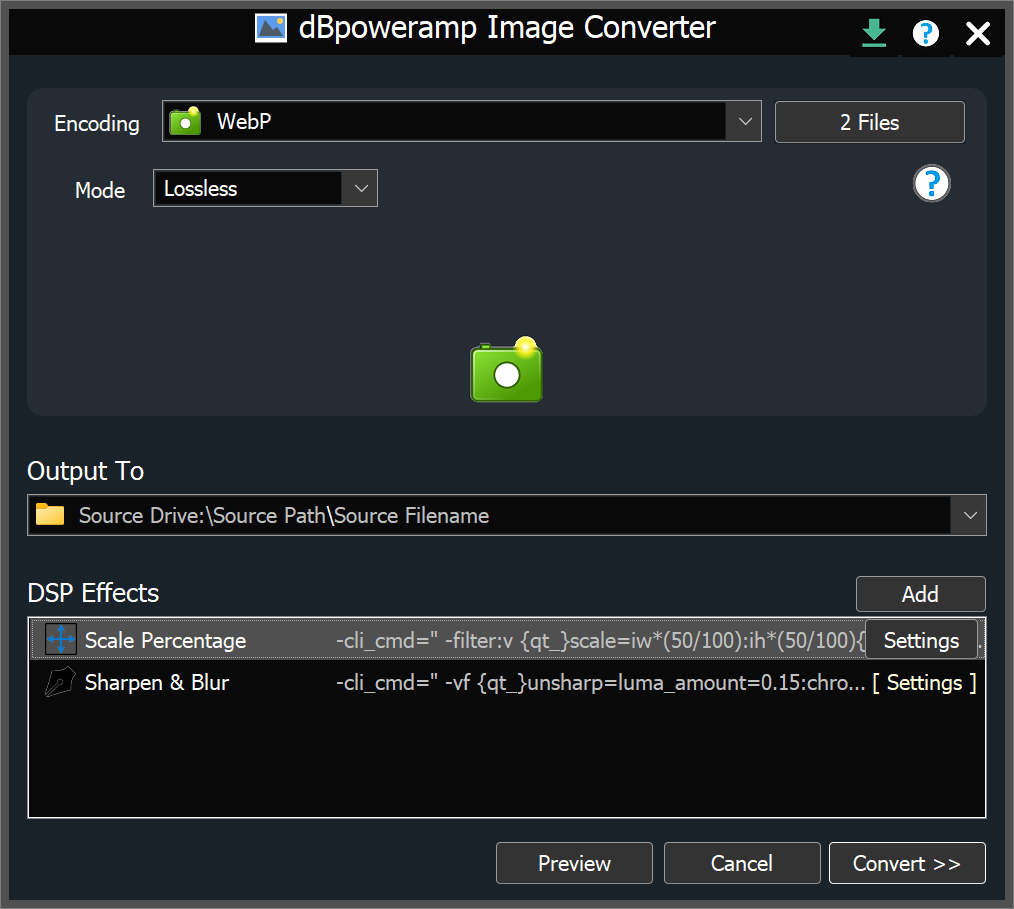
Conversion options page
Multi Core Encoding using the full potential of your system:
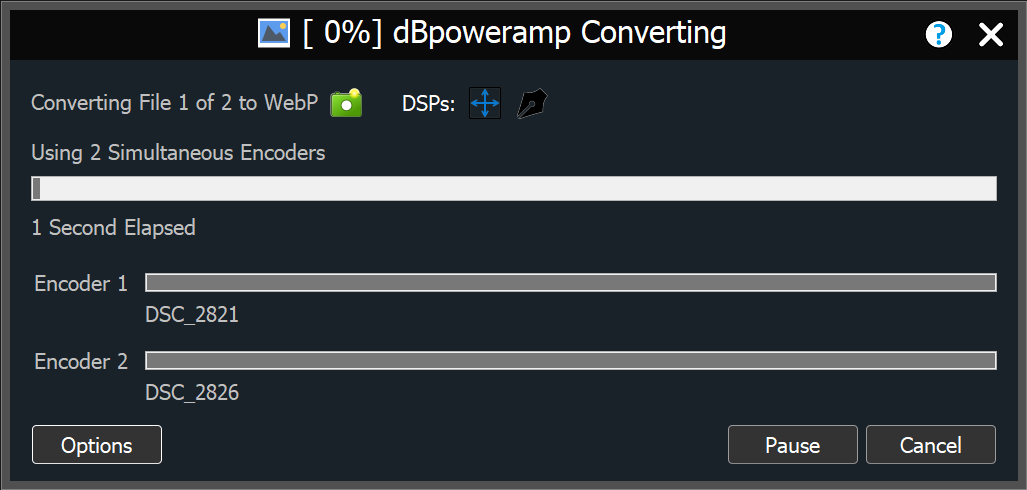
Multi CPU encoding
Modern computers have multiple cores, an 8 core system is effectively 8 computers-in-one, dBpoweramp will use the full potential of your system, encoding eight times as fast. Have a 32 core CPU?, encoding will fly.
Dynamically add and remove cores whilst converting.
Batch Convert imagine having a converter which could convert all your old format
images, to the latest PNG, with one click selecting the whole image tree, Batch Converter can.
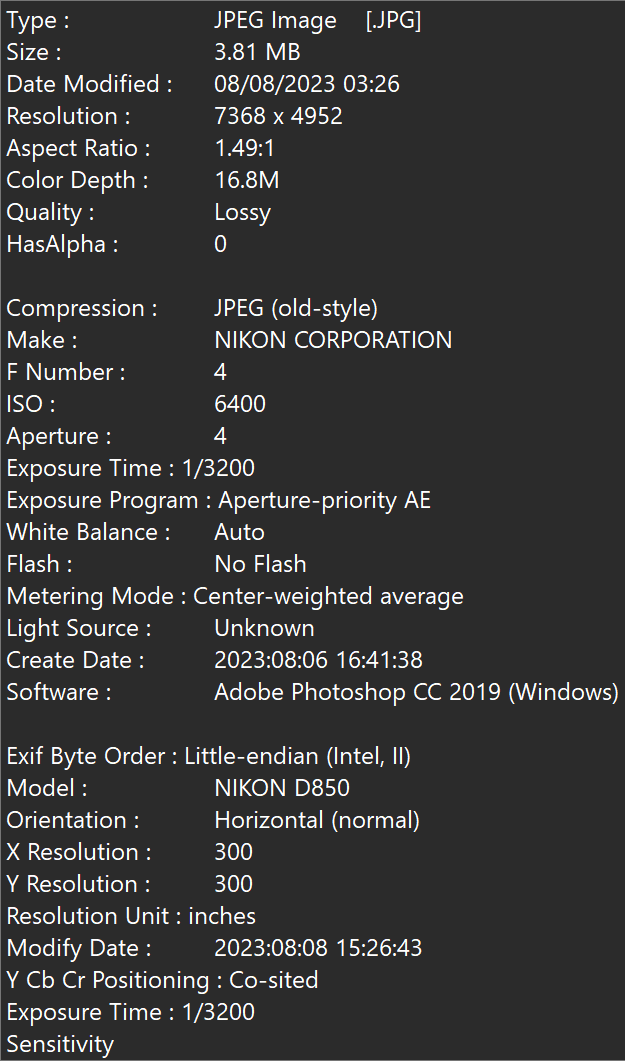
Windows Integration Shell Integration in the form of extensive popup info tips are also provided, see the properties of an image file by hovering the mouse over it,
resolution and color depth are all presented:
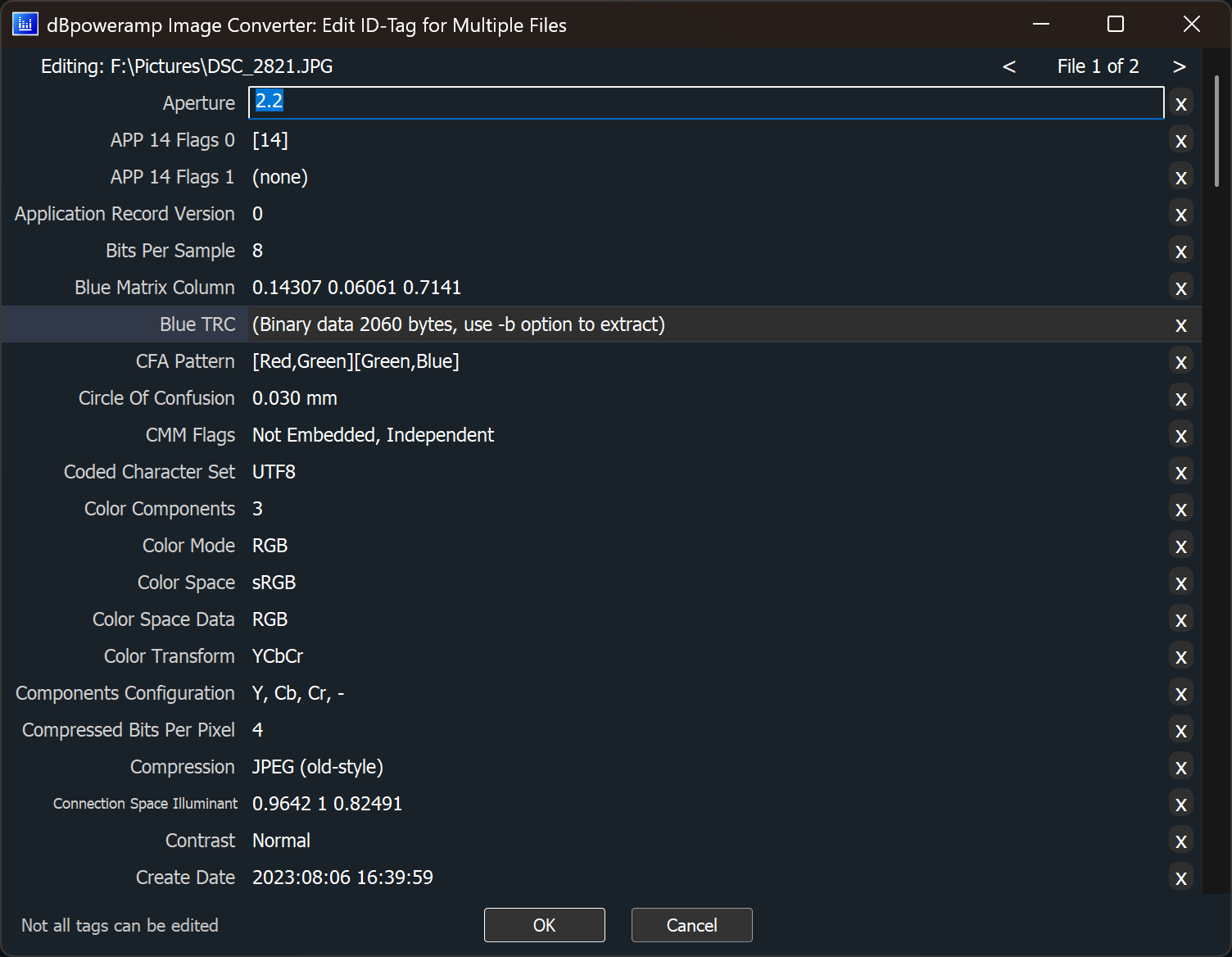
Tag Editor look inside the tags and other metadata (properties) assigned to that image: